Seal it today.
Open it as someone new.
An iPhone app for writing to your future self. A note stays sealed for as long as you choose.
 Download on the App Store
Free to write and seal. iPhone only.
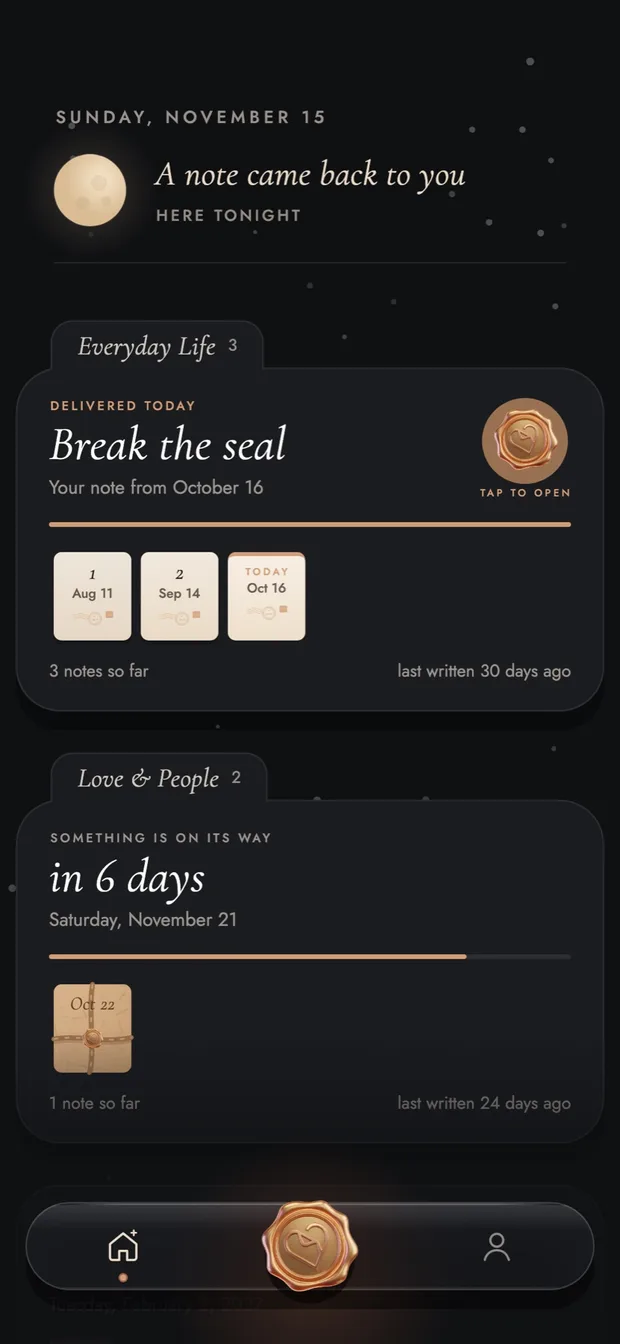

How a note comes back
The week the house goes quiet. The night before the move. Write it down now, and read it when you know how it went.
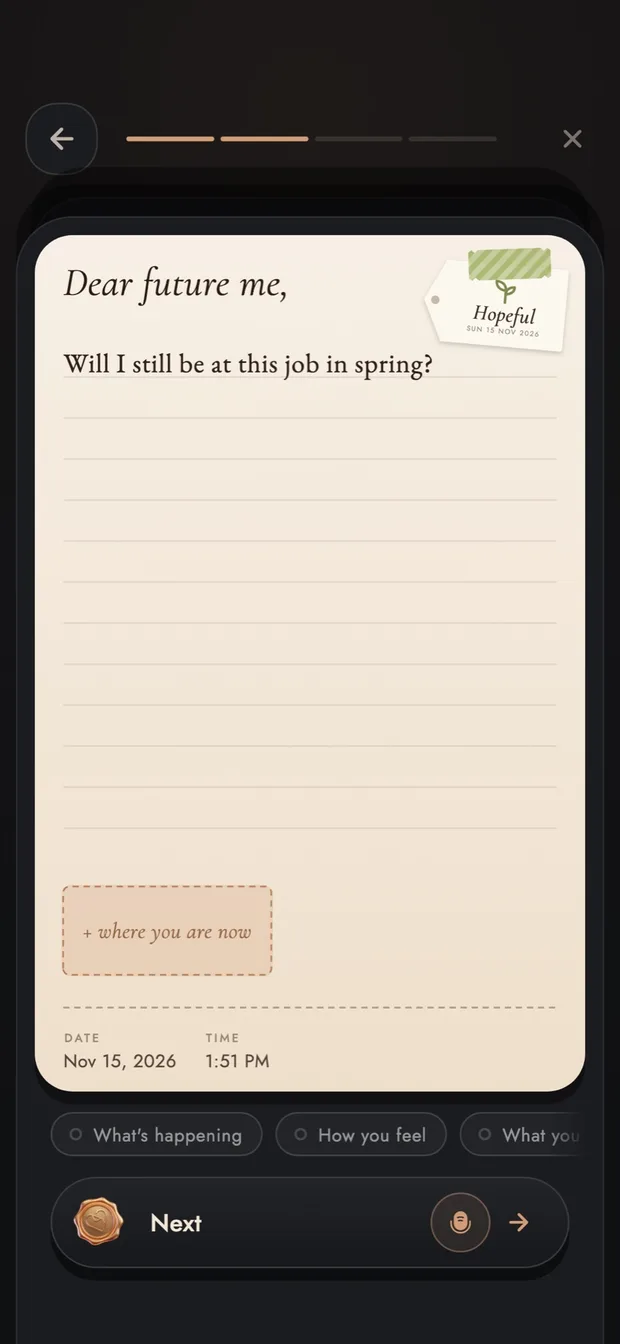
Write
Ask what you can’t answer yet. “Will I still be at this job in spring?”
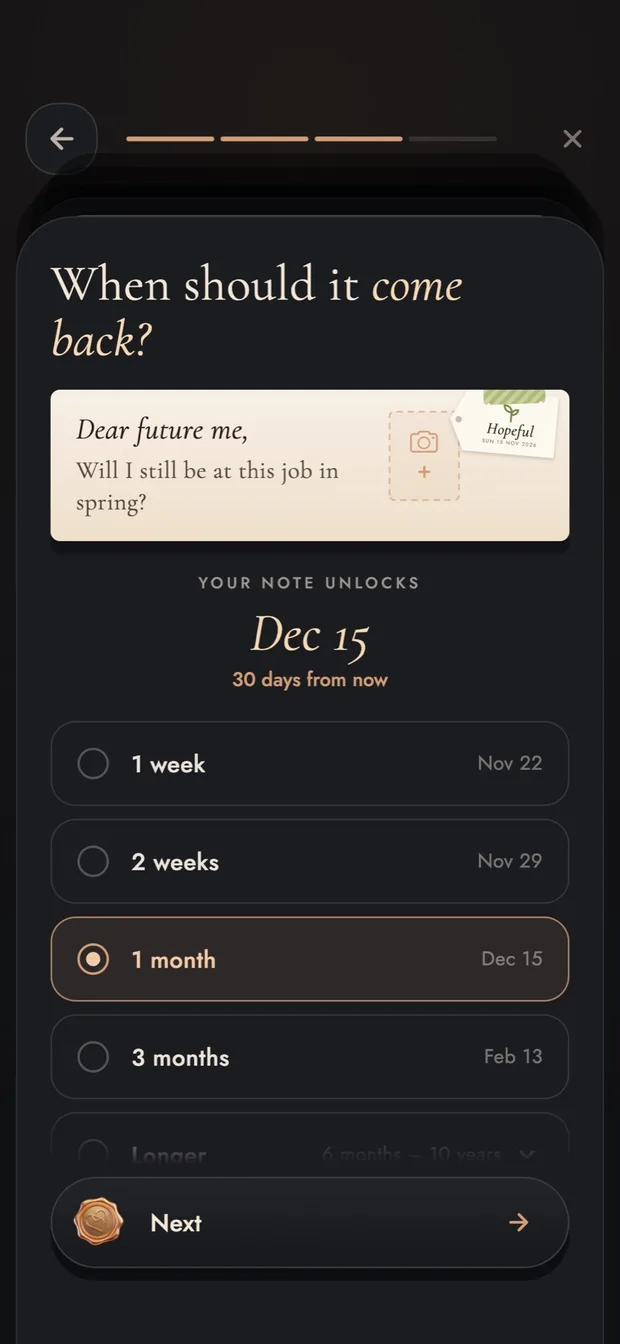
Seal
Choose when it returns: a week, a month, ten years. Then it is closed, even to you.
Return
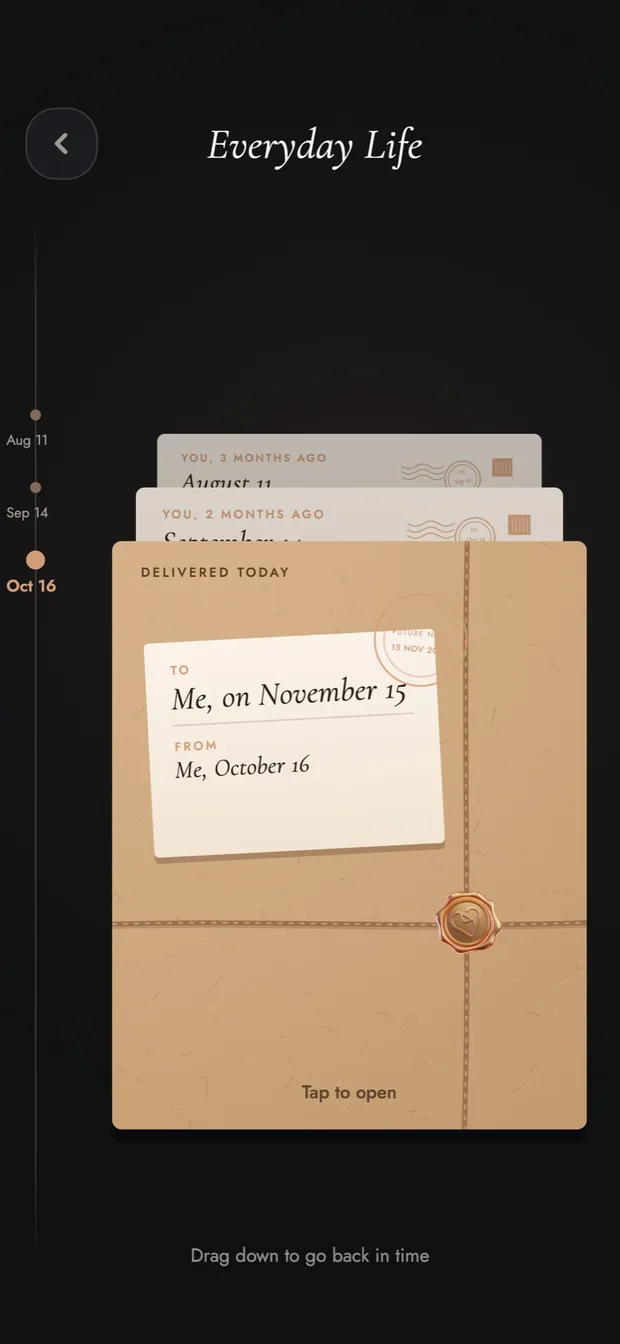
On its day the note arrives as a parcel, from you, to you.
Reply
Break the seal and read what you asked. With Premium you can seal an answer too.
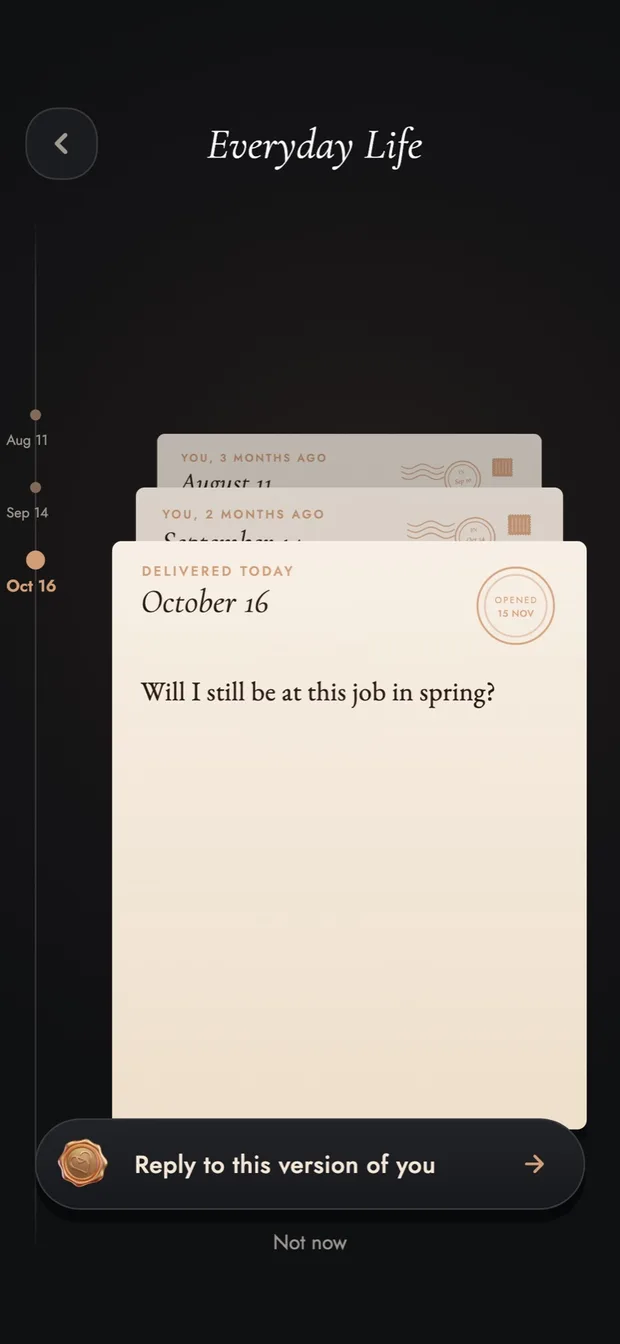
Sealed means sealed
Once the wax is on you cannot read it or change it. Until it returns you see when it opens and how many days are left, and not a word of what it says.
Pick a length and see the day yours would open.
Then you answer it
Your answer goes under wax as well, with your next question inside. A year on, that one comes back too.
Sealing a reply is part of Premium. Reading a returned note is free.
I start the new job on Monday. I’m scared I won’t be good enough. Will I still be there in a year?

Still here. You were good enough, and they gave you the team in spring. Now they want me to move to Berlin for it. Do I go?
An example, taken from the app.
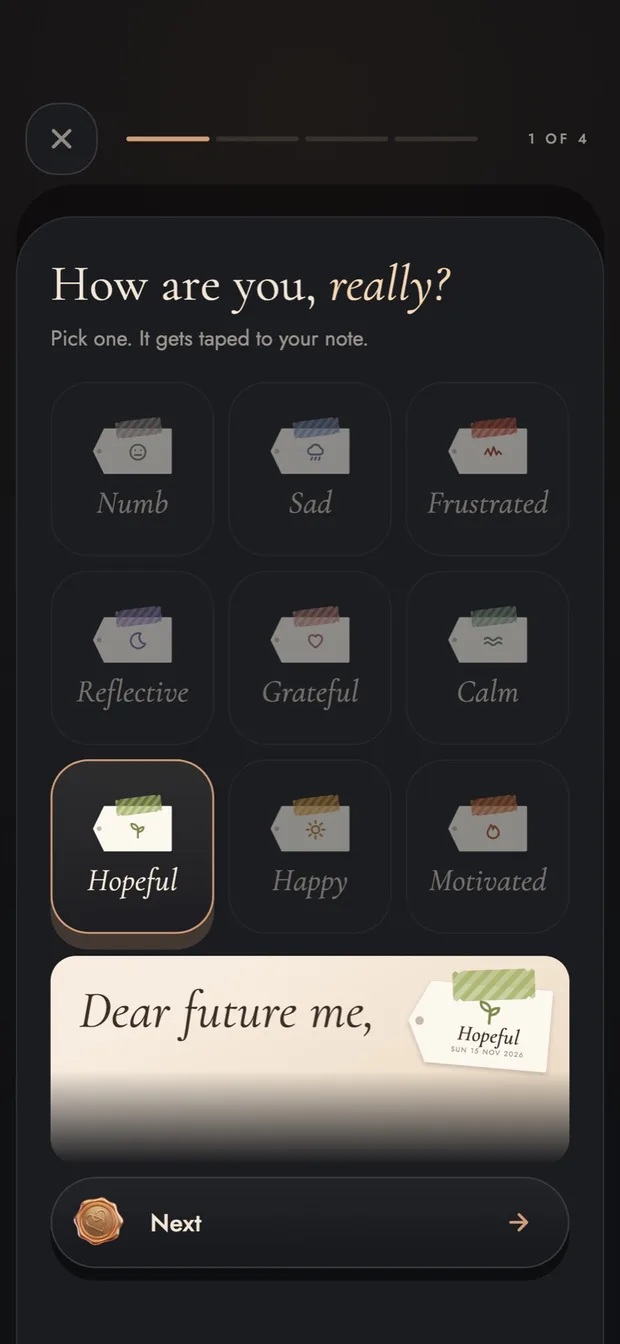
Say how you really are
Before you write, pick one of nine moods, from Hopeful to Numb. It gets taped to the note, so a year on you will know who was holding the pen.
A notebook with your name on it
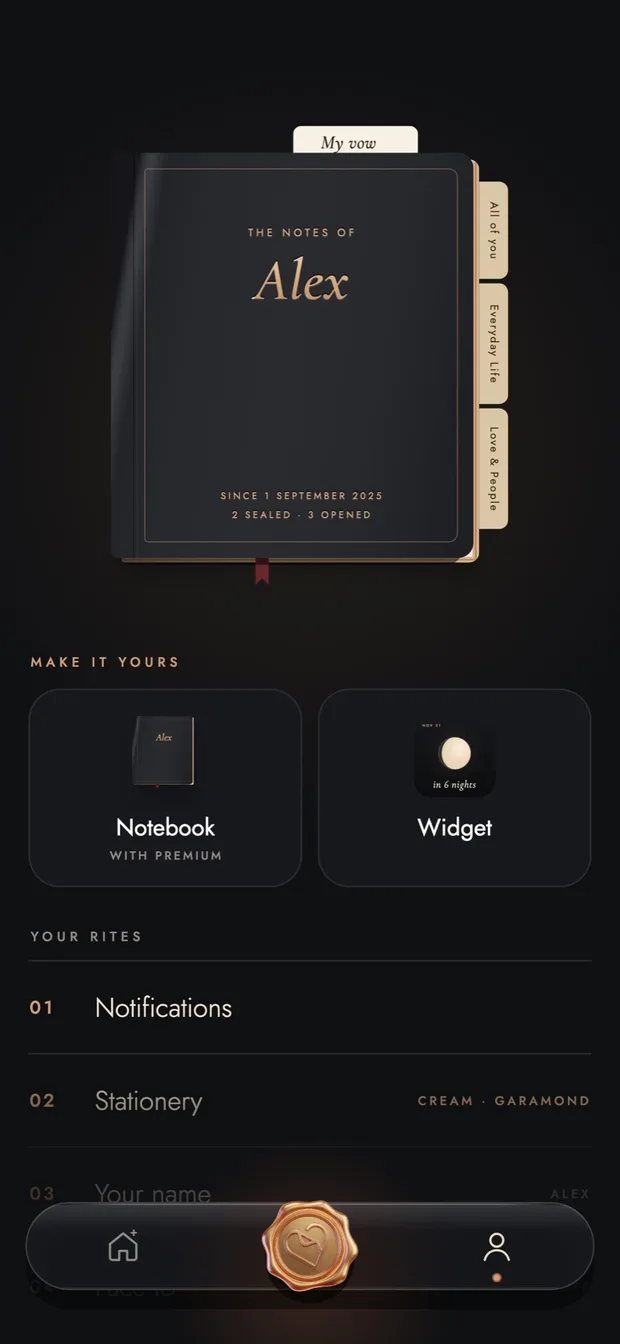
Notes are kept in chapters such as Everyday Life or Love & People, tabbed like a real notebook. Each chapter holds its notes in order, so you can read August next to now.
Everyone gets this cover. Changing its design is part of Premium.
Also inside
A photo of where you are
Add one picture of tonight to the page.
Prompts for a blank page
What’s happening, how you feel, what you hope.
Make the page yours
Choose the paper, the typeface, the text size and how bright the page is.
A countdown on your Home Screen
A widget shows your next note and the days left.
Your Universe
Every sealed note lights a star in your own sky.
Face ID lock
Keep the app closed to anyone who picks up your phone.
Nobody else can read it
No one else in the app can open a note, and there is nowhere to post one.
- One reader. A note goes to you, later. There is no feed and no public profile, and the words of a note cannot be shared.
- A light, nothing more. In the Universe other people see each of your notes as a star, with no name and no words.
- Saved to your account. Sign in with Apple or Google and your notes are there when you change phones.
- You can leave. Delete your account from your Profile and every note is permanently removed with it.
Why it exists
In the spring of 2024 I wrote a letter to who I’d be in a year and emailed it to myself. When it came back, I didn’t recognise the person who wrote it. Not in a bad way. In an “oh, you were carrying that?” way.
I tried again in three journaling apps. Every one let me edit the past. So I built a place where a note, once sealed, is gone until its day.
Markas G., founder, Vilnius
What is free, what is paid
Writing and sealing a note costs nothing. Premium adds replies, voice to text, exact dates and your own notebook cover.
Free
- Unlimited sealed notes
- Nine seal lengths, from a week to ten years
- A mood and a photo on every note
- Reading every note that comes back
- Home Screen countdown widget
Premium
- Seal a reply to a note that has come back
- Pick the exact day a note returns
- Voice to text: say it, and it is written
- Your own notebook cover design, more app icons and widget faces
An optional subscription, bought inside the app. The price is shown there before you pay.
Premium Monthly $4.99; Premium Yearly $24.99; Premium Lifetime $49.99 (one-time).
Prices shown in USD; the App Store shows your local price.
Questions, before you seal one
No. Once a note is sealed it cannot be opened, edited or moved to another day.
No one else in the app can open them. There is no feed and no public profile, and the words of a note cannot be shared. You can lock the app with Face ID.
Writing and sealing are free, with no limit on the number of notes. Replies, exact dates and voice to text are part of Premium, an optional subscription you can cancel in your iPhone’s Settings. Premium Monthly $4.99; Premium Yearly $24.99; Premium Lifetime $49.99 (one-time). Prices shown in USD; the App Store shows your local price.
If notifications are on, you are told when a note returns and reminded if you miss it. The note waits for you, still sealed, until you open it.
Your notes are saved to your account. Sign in on the new iPhone with the same Apple or Google account and they are there, still sealed.
Yes. Deleting your account from your Profile permanently removes all your notes. It cannot be undone.
Not yet. Future Note is on the App Store for iPhone.
Start with one question
Write down what you can’t answer tonight. Seal it for a month, and see who opens it.
Download on the App StoreFree to write and seal. iPhone only.
Not on iPhone?